
Knowledge base
September 16, 2024
Google Workspace vs. Microsoft 365: Which One Is the Best Fit for Your Organization?
Google Workspace and Microsoft 365: Both platforms offer comprehensive solutions for collaboration and communication, but which one is the best fit for your organization? In this blog post, we’ll take a closer look at the differences between the two suites so you can make an informed decision.
1. The Basics: What Do Both Platforms Offer?
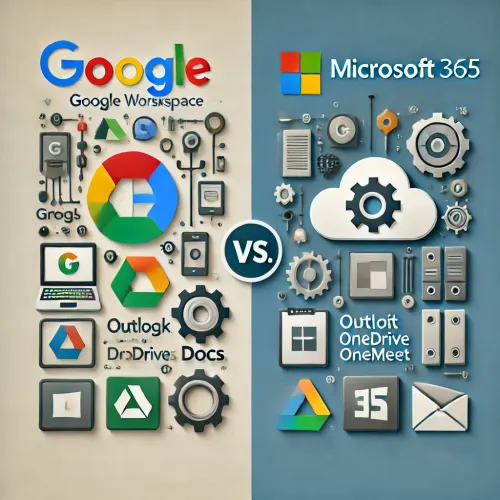
Both platforms offer a wide range of tools, but with different focuses. Let’s take a look at exactly what each platform has to offer:
- Google Workspace:
- Gmail for email
- Google Drive for cloud storage ☁️
- Google Docs, Sheets, and Slides for documents, spreadsheets, and presentations
- Google Meet for video conferencing
- Seamless integration with the Google search engine
- Microsoft 365:
- Outlook for email
- OneDrive for cloud storage ☁️
- Word, Excel, and PowerPoint for documents, spreadsheets, and presentations
- Microsoft Teams for video conferencing and collaboration
- Deep integration with Windows and other Microsoft products ️
2. User Experience: Where Is the Focus?
One of the biggest differences between Google Workspace and Microsoft 365 is the user experience and the way the tools are designed:
- Google Workspace:
- Simple and streamlined. Google’s products are easy to use and feature a simple, intuitive interface. They’re perfect for teams that want to get up and running quickly without a lot of configuration. ⚙️
- Cloud-first. Google Workspace is entirely focused on working in the cloud. This gives you access to your documents anywhere, regardless of your device or location.
- Microsoft 365:
- Packed with features. Microsoft offers powerful tools with a wide range of advanced features, ideal for businesses that need customization and flexibility.
- Hybrid Cloud and On-Premises. In addition to cloud solutions, Microsoft also offers strong integration with on-premises software and servers. This makes it an attractive option for organizations that still use a mix of cloud and on-premises infrastructure.
3. Collaboration and Communication
Collaboration is crucial for every business. Both platforms offer robust collaboration tools, but with different approaches:
- Google Workspace:
- Real-time collaboration. With Google Docs, Sheets, and Slides, multiple users can work on the same document at the same time. You’ll see changes made by others right away.
- Google Meet offers seamless video conferencing, right from your browser, without having to install any additional software.
- Microsoft 365:
- Teams is the flagship product. Microsoft Teams combines chat, video conferencing, and document storage, making it a central hub for collaboration within companies.
- Co-authoring in Office documents. Just like Google, you can collaborate in real time in Word, Excel, and PowerPoint. The experience often feels more powerful and robust, especially with complex documents.
4. Security and Privacy
In today’s digital world, security is a priority. Both platforms place a strong emphasis on security, but there are some differences:
- Google Workspace:
- Strong cloud security. Google is heavily invested in the security of its cloud services, with advanced encryption and tools to protect data.
- Zero Trust security model: this means that no system or user is automatically trusted.
- Microsoft 365:
- Enterprise-grade security. Microsoft has years of experience building security solutions, including compliance with the strictest international standards (GDPR, HIPAA, etc.). ️
- Advanced Threat Protection (ATP). Microsoft offers robust protection against cyberattacks and phishing. ️♀️
5. Pricing and Subscriptions
Both platforms use subscription models, but there are differences in price and what you get in return:
- Google Workspace:
- Prices start at €5.20 per user per month for the Business Starter plan.
- Suitable for smaller teams and organizations that need a simple set of tools without too many bells and whistles.
- Microsoft 365:
- Prices start at €5.10 per user per month for Microsoft 365 Business Basic.
- Ideal for businesses that need a wider range of features, including desktop apps and advanced security.
6. Which one should you choose?
The choice between Google Workspace and Microsoft 365 depends entirely on your business needs. Here are a few things to consider:
- Choose Google Workspace if:
- You’re looking for a simple, cloud-first solution.
- Your business relies primarily on real-time collaboration and you don’t need complex features.
- Cost control and ease of use are a priority.
- Choose Microsoft 365 if:
- You want a powerful platform with advanced tools and desktop integration.
- Your organization uses a hybrid cloud infrastructure or on-premises software.
- Security and compliance are of great importance to your industry.
Conclusion
Both Google Workspace and Microsoft 365 offer excellent solutions for modern businesses. Which platform is a better fit for you depends on your business model, team size, and technical requirements. Carefully consider your needs in terms of collaboration, security, and costs, and make your choice based on those factors.
Want to learn more about the benefits of both platforms? Contact us for personalized advice! ✉️
Are you considering switching from Google Workspace to Microsoft 365? Read about how ALTA-ICT handles a migration.
Want to know more?
Related
blogs

Tech Updates: Microsoft 365, Azure, Cybersecurity & AI – Wekelijks in je Mailbox.