Knowledge base
November 04, 2026
Veilig mailen: waarom versleutelen alleen niet genoeg is
It doesn’t take a hacker to send an email to the wrong recipient. All it takes is one auto-filled address. If it contains personal information, it could be a data breach.
The Wrong Recipient
Outlook autocompletes a name based on previous emails. Two contacts with the same first name—one click—and the file ends up with the wrong person. The same applies to a group email with all addresses in the cc field: every recipient can see who else is a customer or client. At a family doctor’s office or a debt counseling agency, that list speaks volumes.
Two things can help right away. When dealing with external addresses, always take a critical look at what Outlook auto-completes, and use BCC for group emails, or a mailing tool where recipients can’t see each other’s addresses. For sensitive emails, double-check the recipient and the attachment one last time before sending.
Encryption and Verification
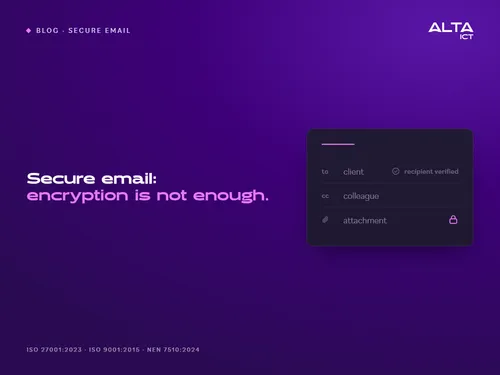
Encryption protects the email while it’s in transit. If it ends up with the wrong person, they can simply open it. That’s why there’s a second step: the recipient must first prove their identity—with a code or login—before they can view the content. Encryption protects the journey; verification ensures safe arrival.
Microsoft offers a feature for this. Message encryption is included in Microsoft 365 Business Premium, and an external recipient can read the email using a one-time code. You can find out what’s already available in our blog post about Microsoft Purview in plain language.
Health Care and NTA 7516
For email and chat involving personal health information, there is a Dutch standard: NTA 7516. It sets requirements for the secure exchange of such data via email and chat. For an occupational health and safety service, a physical therapy practice, or a home care organization, it serves as a benchmark for your email solution. So don’t just ask whether a solution uses encryption. Ask if it complies with NTA 7516, and have them prove it.
Withdraw
Outlook has a button to recall a message. Microsoft states that this feature only works if both you and the recipient have Microsoft 365 or Exchange accounts within the same organization, and only for recipients who haven’t opened the email yet. For external recipients, a regular email is gone once it’s sent.
Recalling an email sent outside your organization is only possible under certain conditions: the email must be encrypted, the recipient must open it via a link (as with a Gmail address), and you must have set this up in advance. It doesn’t work for recipients with Microsoft 365.
Here’s how we do it
For healthcare clients, we integrate secure email into the modern workplace. We also help organizations set up a standard check before sensitive emails are sent: Is the address correct? Is the attachment correct? Is this the right recipient?
No matter which solution you choose, ask the provider five questions. Is the email encrypted? Does the recipient first verify their identity? What happens if the email ends up with the wrong person anyway? Can it be recalled, and under what conditions? Does the solution comply with NTA 7516, and where is that demonstrated?
Secure Email for Your Organization
Sources
Microsoft Learn, Message Encryption FAQ (updated November 19, 2025).
Microsoft Learn, Revoke an email encrypted by Advanced Message Encryption (updated June 26, 2026).
Microsoft Support, Recall or replace an email message you sent in Outlook.
NEN, NTA 7516:2019 nl.
Accessed on END DATE.
Want to know more?