
Knowledge base
October 25, 2026
Microsoft 365 in the Event of a Spin-Off: What Gets Transferred and What Doesn’t?
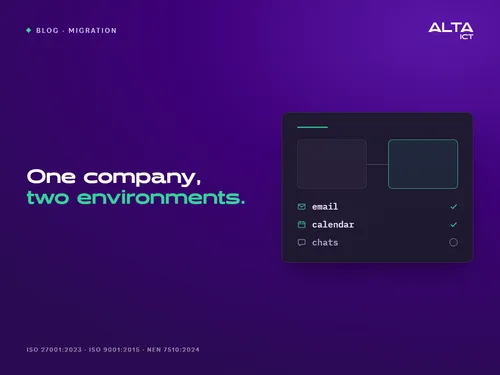
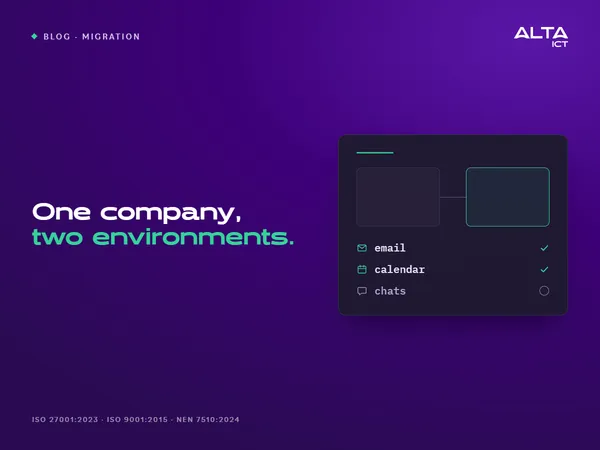
During a spin-off, part of your company will receive its own Microsoft 365 environment. In technical terms, this is called a tenant-to-tenant migration. Email, calendars, contacts, and OneDrive files can be transferred. Teams chats, signatures, and meeting links are not automatically transferred. The choices you make in advance determine whether employees can work as usual on day one.
This article is for executives and IT managers who are spinning off, selling, or transferring a business unit to a new corporation. You’ll learn what happens from a technical standpoint, what isn’t automatically transferred, and how to evaluate an IT partner.
In short
- A domain name can only be associated with one Microsoft 365 environment. Decide early on who gets which name.
- A mailbox migration only transfers mailbox data. It does not transfer Teams chats, signatures, or groups.
- Document the data allocation in writing before the technical work begins.
- During the transition, the two environments will be linked. Limit what can be migrated and then remove the link afterward.
- Start preparations well in advance of the switchover and plan Day One for each user group.
How does a spin-off differ from a regular migration?
In a standard migration, you move from another system to Microsoft 365—for example, from Google Workspace or an email package provided by a hosting provider. In a split, your company is already on Microsoft 365. You divide that single environment between two organizations.
This makes it different in three ways. Both environments continue to exist during the transition and work together. Permissions, groups, and shared mailboxes are intermingled and must first be separated. And the two organizations must agree on what belongs to whom. Microsoft describes the mailbox migration between environments as a solution for mergers and spin-offs.
If you’re switching from another platform to Microsoft 365, you’ll find the steps to follow in our article ” Migrating to Microsoft 365 for SMBs.”
One domain name, one environment: Who gets which name?
A domain name can only be in one environment in Microsoft 365. If you want to use a name that’s still in another environment, you’ll need to remove it from there first. That determines the entire schedule.
The spun-off company either keeps its existing name or is given a new one. During the mailbox migration, neither environment may use the same domain name. Microsoft explicitly states this. If an existing name is transferred, this usually occurs in a separate step, after the mailbox migration. If the spun-off company receives a new name, employees will be assigned new email addresses.
Decide this before anyone begins the technical work. Also agree on how long messages will be forwarded to the old addresses and who will manage that. Customers and suppliers will continue to use those addresses. In addition, each domain name has its own email security settings (SPF, DKIM, and DMARC). These must be configured correctly in both environments; otherwise, emails will end up in the spam folder or be rejected.
What doesn’t come naturally?
According to Microsoft, a mailbox migration only transfers what the user sees in their inbox: email, calendar, contacts, tasks, and notes. That’s a lot, but not everything. Go through this list each time you split off a mailbox:
- Teams chats. The chat content will not be transferred. After the migration, an administrator of the old environment will still be able to search through and export the content.
- Teams meeting links. The meeting is moved, but the link won’t work in the new environment. Reschedule these meetings.
- Signatures. Set them up again in the new environment.
- Microsoft 365 groups. The mailbox migration does not support them.
- Sensitivity labels. Labels cannot be transferred. Create them again in the new environment. You can read about how labels work in Microsoft Purview in plain language.
- Permissions between mailboxes. Permissions between mailboxes in different environments are not supported. Therefore, move a mailbox along with the people who have access to it. You’ll need to reconfigure permissions to send on behalf of someone else.
- Mailboxes subject to retention requirements. A mailbox subject to retention requirements cannot be moved. Microsoft blocks the move.
- Files. A mailbox migration only transfers mailbox data. OneDrive and SharePoint have their own migration processes. Plan those separately.
Who receives which data?
The technology follows the organizational structure, not the other way around. Document in writing which employees are transferring to the new company and which shared mailboxes belong to which company, such as info@ or administration@. Shared mailboxes will be transferred, but only with the permissions specified within the mailbox itself. Also specify which teams and SharePoint sites will be transferred, what will remain with the parent company, and who will retain the old customer correspondence.
After a spin-off, each company is responsible for the personal data in its own environment. You should discuss with your attorney what this means for data that both companies need. This article does not constitute legal advice.
Security During the Transition
During the migration, two environments are linked together. Administrators on both sides grant permission for this to a migration application. The old environment uses a security group to determine which mailboxes are allowed to be migrated. Anyone not included in that group will not be migrated. This prevents data from the other company from being accidentally migrated.
There are two things to keep in mind:
- Set up the new environment before the first mailbox arrives: multi-factor authentication and email security.
- Remove the link afterward. Microsoft describes cleaning up the migration endpoint and the organizational relationship as the final step.
ALTA-ICT operates in accordance with ISO 27001:2023, ISO 9001:2015, and NEN 7510:2024. In a spin-off, this is evident in standardized procedures, documented approvals, and a record of what has been done. You can later present this to an auditor, a client, or the buyer of a business unit.
Planning and Day One
Start preparing well in advance of the switchover. Microsoft recommends submitting the migration batches two weeks before the switchover date. During that period, data will be synchronized, and users won’t notice a thing.
On day one, users will recreate their Outlook profile using their new login name and email address. Outlook will then resync the data. Do this in groups, as each new profile puts a strain on the network. Microsoft itself highlights this as a point of concern.
Emails sent to the old address continue to arrive. After the move, a redirect to the new inbox remains in the old environment, so that emails continue to reach the user.
The old mailbox will no longer exist after the migration. According to Microsoft, it will no longer be accessible in the old environment under any circumstances. If you need a copy for record-keeping or an investigation, make sure to create one before the migration.
Check the following on day one:
- You can now log in using the new name.
- The Outlook profile has been recreated and is syncing.
- Teams meetings have been rescheduled.
- Signatures are working properly.
- Shared mailboxes open and send messages.
- Emails to internal and external recipients are being delivered in both directions.
- Employees know who to contact.
What should you look for when choosing an IT partner for a spin-off?
Don’t just ask if a vendor can handle a migration. A spin-off requires more. Ask these five questions:
- Has the provider carried out migrations between Microsoft 365 environments? Ask about their process and what isn’t automatically included. An experienced provider will mention that list on their own.
- Is the provider certified? Ask to see the certificate: the standard, including the year, who issued it, and its expiration date. ISO 27001 covers information security, ISO 9001 covers quality management, and NEN 7510 covers information security in the healthcare sector.
- Who handles the implementation? An IT partner carries out what you’ve defined. They help you ask the right questions, but don’t answer them for you.
- What will be documented? Ask about the schedule, the approval milestones, and a post-project report.
- What happens to the old environment? A reputable provider has a plan for cleanup and data retention requirements.
How ALTA-ICT addresses this
ALTA-ICT migrates to and between Microsoft 365 environments. Other Microsoft 365 tenants are listed as sources on our migration page. We start with an assessment and a data breakdown that both parties agree upon. This is followed by setting up the new environment, preparation, the switchover, and cleanup. Each step includes an approval stage.
Is a spin-off in the works? Schedule a 30-minute consultation. We’ll then walk you through the points in this article as they apply to your situation.
Frequently Asked Questions
What is a tenant-to-tenant migration?
Migrating users and data from one Microsoft 365 environment to another. You use this for spin-offs, acquisitions, and mergers.
Will email continue to function normally during the spin-off?
Yes. Data is synchronized in advance, and according to Microsoft, users won’t notice anything. However, when switching over, users do need to create a new Outlook profile.
Are Teams chats included?
No. The chat content is not transferred during the mailbox migration. An administrator of the old environment can still search through it and export it afterward.
Can a single domain name be used in two Microsoft 365 environments?
No. A domain name can only be associated with one environment in Microsoft 365. During the mailbox migration, both environments must use a unique name.
What happens to the old inbox?
After a successful move, the old mailbox no longer exists. If you need a copy for record-keeping or an investigation, make sure to create one beforehand.
Do I need a separate Microsoft license for the move?
Yes. Microsoft requires a separate license per user for migrating the mailbox and OneDrive. Without that license, the migration will fail. So you must obtain the license before you begin.
Is this the same as migrating from Google or a hosting provider to Microsoft 365?
No. In that case, the source is not a Microsoft 365 environment. In a split, you divide an existing environment between two organizations. That requires more prior agreements.
What certifications does ALTA-ICT have?
ISO 27001:2023, ISO 9001:2015, and NEN 7510:2024. The certificates were issued by QualityMasters and are valid through June 17, 2028.
Conclusion
A spin-off involves more than just moving email. It involves the distribution of data, domain names, and rights, with technology serving as the means to carry it out. By planning this in advance, you can prevent employees from being left without chat, meeting links, or working email on day one.
Want to know more?
Related
blogs
Tech Updates: Microsoft 365, Azure, Cybersecurity & AI – Wekelijks in je Mailbox.