Knowledge base
September 01, 2024
What is a Break Glass Account?
In the world of IT management and cybersecurity, terms often come up that may sound a bit mysterious at times, but play a crucial role in system security. One such term is the “Break Glass ” account. But what exactly is it, and why is it so important?
What is a Break Glass Account?
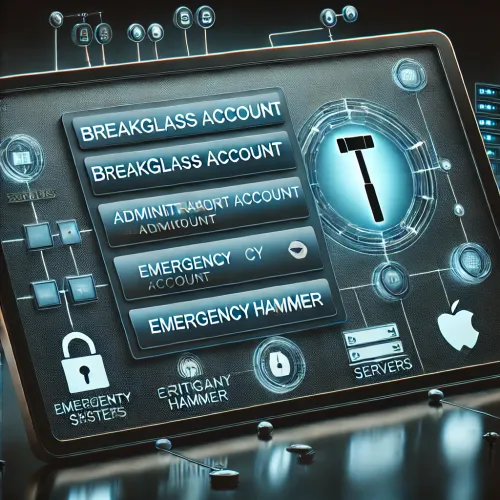
A Break Glass account is a special administrator account that provides access to critical systems in the event of failures or security incidents. This account acts as a “sledgehammer,” so to speak, which you use to gain access to systems when other access methods fail. Consider situations where:
- A major security incident occurs.
- There is a malfunction in the systems that normally grant access.
- MFA (Multi-Factor Authentication) is unavailable.
MFA Mandatory for Administrators from October 15
It is important to know that as of October 15, MFA is mandatory for all administrator accounts. This means that administrators can only gain access to systems through an extra layer of security, such as a code sent to their mobile device. This measure is intended to further strengthen the security of critical systems and minimize the risk of unauthorized access.
Although MFA is essential, there are situations in which MFA services are unavailable or in which rapid access to systems is required without delay. In such cases, a breakglass account is crucial, as it provides access without the need for MFA, while still adhering to strong security measures such as strong passwords and the use of FIDO2 keys.
Why Is a Break Glass Account Important?
Having a Break Glass account is not a luxury, but a necessity for any organization that takes cybersecurity seriously. Here are a few reasons why this account is essential:
- Access in emergencies: When regular access methods fail, the BreakGlass account always provides a backdoor to manage critical systems.
- Minimal downtime: By ensuring access at all times, the time systems are unavailable is minimized.
- Security incident management: In the event of a cyberattack, a BreakGlass account enables administrators to respond quickly and effectively.
How does a Break Glass Account work? ⚙️
A Break Glass account is usually configured differently from other administrator accounts:
- MFA Disabled: MFA is often disabled for this account to ensure access at all times, even when MFA services are unavailable.
- Strong Passwords: The account has a very strong and unique password that is regularly reviewed and changed.
- Limited Use: The account is used only in emergency situations, and access is closely monitored and logged.
- Use of FIDO2 Keys: Although MFA is often disabled for breakglass accounts, the use of FIDO2 keys can add an extra layer of security without relying on traditional MFA methods. These keys provide strong, hardware-based authentication that is difficult to bypass.
Best Practices for Break Glass Accounts
When setting up a Break Glass account, there are a few best practices you should always follow to ensure security:
- Documentation: Provide clear documentation on when and how the account may be used.
- Monitoring: Closely monitor all attempts to access the account.
- Regular audits: Conduct periodic audits to ensure that the account still meets security standards.
- Restricted access: Ensure that only a limited number of trusted individuals are aware of the existence of the BreakGlass account and its login credentials.
- Exclusion from Conditional Access: Ensure that the Break Glass account is excluded from all conditional access policies. This is crucial to ensure that the account remains accessible at all times, even when there are issues with conditional access.
Why Exclude Break Glass Accounts from Conditional Access? ❌
Break Glass accounts have a specific purpose: providing guaranteed access to critical systems in emergency situations. Subjecting these accounts to conditional access can undermine the account’s intended purpose. Here are some reasons why excluding Break Glass accounts from conditional access is best practice:
- Always-On Access: Excluding “Break Glass” accounts ensures that these accounts always have access, regardless of circumstances such as location, device usage, or risk level.
- Avoiding Lockout: Suppose there is an issue with conditional access, such as a configuration error or a service outage that affects the enforcement of these policies. In that case, a Break Glass account covered by these policies would also be locked out, which defeats the purpose of the account.
- Unrestricted Emergency Access: In an emergency, speed is crucial. Excluding “Break Glass” accounts from conditional access prevents unnecessary delays and ensures that administrators can act quickly.
Conclusion ️
A breakglass account is a crucial component of a robust IT security strategy. It provides a last resort in situations where access to critical systems is at risk of being lost. By setting it up correctly, excluding it from conditional access, considering the use of FIDO2 keys, and following best practices, organizations can ensure they are prepared for any emergency.
At ALTA-ICT, we use FIDO2 keys in all of our modern workplace packages to ensure that our customers always have access to their critical systems, even in emergency situations. This enhances the security and reliability of our solutions, ensuring that your organization remains well-protected against unexpected events.
As an IT administrator or security professional, it is advisable to consider implementing a “break-glass” account within your organization. It is better to be prepared for the unexpected than to have to react to a crisis after the fact.
Need Help?
Is your organization facing challenges, or do you need additional support? We’re here to help and will make sure everything is handled correctly and on time! Visit our contact page and get in touch with us.
A “break glass” account is one component of a well-configured tenant. Learn how ALTA-ICT approaches Microsoft 365 security.
Want to know more?
Related
blogs
Tech Updates: Microsoft 365, Azure, Cybersecurity & AI – Wekelijks in je Mailbox.

![Sensitive Information in AI Chat, Teams, and WhatsApp: The Moment Before Sending / Hero Voor Verzenden.html HTML maak synccommanodo Je stuurde de HTML-bron, niet de PNG. Ik heb die HTML zelf gerenderd en het resultaat bekeken. Het beeld is akkoord. Wat ik heb gecontroleerd Maat en fonts: exact 1200x900. Halogen 900 en Bilo 300 en 500 laden uit het bestand zelf, zonder vervangend lettertype. Inhoud: kicker “BLOG · VOOR VERZENDEN”, de kop in wit en limoengroen, en de chatkaart met “dossier” omlijnd en het label “gevoelig”. Er is geen maskering en er staan geen merknamen in. Opmaak: de kop raakt de kaart niet en de certificeringsregel is volledig. Randen: de hoekpixels zijn paars, niet de controlekleur #160a2e. Er is dus geen rand van de pagina mee geëxporteerd. Het PNG-bestand gevoelige-gegevens-ai-chat-verzenden.png heb ik je gestuurd. Zet het in je Downloads en draai dan: powershell cd C:\repos\ALTA-ICT git pull --rebase $b = "docs\Projecten\social-campagnes\Week 43 - Voor Verzenden\Blog" $f = Get-Item "$env:USERPROFILE\Downloads\gevoelige-gegevens-ai-chat-verzenden.png" Add-Type -AssemblyName System.Drawing $i = [System.Drawing.Image]::FromFile($f.FullName); "{0}x{1}" -f $i.Width, $i.Height; $i.Dispose() Copy-Item $f.FullName "$b\" -Force git add -- "$b\gevoelige-gegevens-ai-chat-verzenden.png" git diff --cached --name-only git commit -m "Blog 43: bloghero gevoelige gegevens voor verzenden" git log origin/master..master --oneline Verwachting: 1200x900, dan één bestandsnaam, daarna één of twee commits. Twee commits als de editie 15-hero nog niet gepusht is. Plak de output terug, daarna push je. In WordPress, bij blog 43: Uitgelichte afbeelding: upload dit bestand, met de alt-tekst uit de plakklaar. Controleer na het uploaden dat de bestandsnaam geen -1 heeft gekregen. De kanaalvarianten van blog 43 maak je pas als de blog live staat. De prompt staat in de plakklaar. geef me blog 43 om te maken zoals het moet in wordpress Hieronder staat alles voor WordPress, in de volgorde van de editor. Ik gebruik variant B, zonder test. Plak elke HTML in het tabblad Tekst en schakel nooit over naar Visueel. 1. Nieuw bericht Ga naar Berichten, Nieuw bericht. 2. Titel Gevoelige gegevens in AI-chat, Teams en WhatsApp: het moment vóór verzenden 3. Veld Introductie (tabblad Tekst) html Bij een datalek denk je aan een hacker. In de praktijk begint het vaak met Ctrl+V: een stuk uit een dossier in de verkeerde chat, de verkeerde mail, of een AI-tool die de tekst "even netjes maakt". Er is geen kwade wil. Er is haast, en een knop die te dichtbij zit. Deze blog gaat over dat ene moment vlak voor verzenden: wat kun je dan nog tegenhouden, en wie ziet het? 4. Veld Omschrijving (tabblad Tekst) html Waar Microsoft 365 ophoudt In de blog over Microsoft Purview zag je wat Business Premium al beschermt: mail en de bestanden in OneDrive en SharePoint. Een bestand dat je in Teams deelt, valt daar ook onder. Het chatbericht in Teams niet. DLP voor Teams-chat vraagt volgens Microsoft een E5-licentie. En een AI-chat in de browser of een app op de laptop ziet Microsoft helemaal niet. AI-chat en geheimhouding Een medewerker plakt een brief aan een cliënt in een gratis AI-chat, met zijn privéaccount, om hem beter te formuleren. Naam, adres en de reden van het dossier gaan mee, naar een dienst waarmee je organisatie geen verwerkersovereenkomst heeft. Verbieden werkt slecht. De tool blijft handig, en wie hem niet mag gebruiken, gebruikt hem stiekem. Beter: weten welke AI-tools je team gebruikt, en per tool afspreken wat erin mag. WhatsApp is geen dossier De wijkverpleegkundige stuurt een foto naar de collega die de dienst overneemt. De installateur appt de klant een offerte met diens adres. Het werkt snel, en het gebeurt vaak op een privételefoon. Daarmee staan zakelijke gegevens op een apparaat dat de organisatie niet beheert, in een app die ze niet kan archiveren. Vertrekt de medewerker, dan vertrekken de gesprekken mee. Een alternatief moet net zo snel zijn, anders gebruikt niemand het. Een waarschuwing op het juiste moment Een training over datalekken vergeet je in een week. Een melding op het moment van verzenden niet. In Outlook kan Microsoft 365 dat al: staat er een gevoelig gegeven in een mail, dan verschijnt bovenaan een melding nog voor de mail vertrekt. Voor chat en voor apps buiten Microsoft heb je daarvoor software op het apparaat nodig. Beschermen zonder meekijken Elke vorm van datalekpreventie roept bij medewerkers en ondernemingsraad één vraag op: leest de werkgever mee? Stel die vraag zelf, vóór je iets kiest. Een melding per soort gegeven is genoeg om een lek te voorkomen. Namen en berichtinhoud zijn daarvoor niet nodig. Begin met een AI-overzicht Je hoeft niet met software te beginnen. Begin met een lijst van de AI-tools die je team gebruikt, waarvoor, en met welke gegevens. Vaak staan er tools op die niemand had verwacht. De Europese AI-verordening legt de markering van AI-output bij de aanbieders. Sinds augustus moeten zij wat hun AI maakt machineleesbaar markeren; voor tools die al eerder op de markt waren, loopt de overgang tot 2 december. Dat is hun plicht. Jouw taak is weten wat je gebruikt. Het AI-Register geeft geen juridisch oordeel. Wel maakt het in ongeveer tien minuten een overzicht van je AI-tools met de transparantieteksten, als drie documenten in je mail. Zo doen wij het We beginnen met het AI-overzicht en de afspraken per tool. Daarna zetten we Purview aan voor mail en bestanden. Het gat buiten Microsoft vullen we met datalekpreventie op het apparaat, als add-on bij de moderne werkplek. We werken zelf onder ISO 27001:2023, ISO 9001:2015 en NEN 7510:2024. Veelgestelde vragen Mag een medewerker een AI-chat gebruiken voor werk? Dat bepaal je zelf, per tool. Leg vast welke tools mogen en welke gegevens er niet in horen. Een zakelijk abonnement met een verwerkersovereenkomst is iets anders dan een gratis versie met een privéaccount. Beschermt Business Premium Teams? Bestanden die je in Teams deelt wel, want die staan in SharePoint of OneDrive. Het chatbericht zelf niet; daarvoor vraagt Microsoft E5. Moet ik AI-output zelf markeren? De markering van AI-output is een plicht van de aanbieder van de AI-tool. Voor jou telt dat je weet welke tools je gebruikt en wat je erin stopt. Conclusie Het lek begint met plakken, niet met een hacker. Microsoft 365 beschermt mail en bestanden; de chat, de AI-tool en de app op de laptop vallen erbuiten. Begin met een overzicht van wat je team gebruikt en spreek per tool af wat erin mag. Wil je het moment vóór verzenden bespreken? Plan een gesprek met ALTA-ICT. 5. CTA-knop (als je thema een knopveld heeft) Tekst: Het moment vóór verzenden bespreken Link: https://alta-ict.nl/contact?utm_source=blog&utm_medium=referral&utm_campaign=voorverzenden&utm_content=blog43-cta 6. Uittreksel Een datalek begint vaak niet bij een hacker, maar bij plakken. Wat er gebeurt als een medewerker gegevens in een AI-chat, een Teams-chat of WhatsApp zet, waar Microsoft 365 ophoudt, en waarom je begint met een overzicht van de AI die je team gebruikt. 7. Categorie: Beveiliging. Zet geen andere categorie aan. 8. Uitgelichte afbeelding Upload gevoelige-gegevens-ai-chat-verzenden.png. Controleer daarna dat de bestandsnaam in de mediabibliotheek geen -1 heeft gekregen. Alt-tekst: Hero bij de blog over gevoelige gegevens vóór verzenden: een chatinvoerveld met de zin Hierbij het dossier van de cliënt, waarin het woord dossier omlijnd is en gemarkeerd als gevoelig.](/media/uploads/2026/10/gevoelige-gegevens-ai-chat-verzenden.png?width=600)