Knowledge base
September 12, 2026
Two out of three domains fall short: what 195 scans reveal
“Can you prove that?” It’s the question every supply chain partner, accountant, and insurer asks, and it’s the reason we’ve been documenting every result of our Security Check since early August. Not to point fingers—the report doesn’t include company names—but so that, after some time, we can say something that goes beyond just an opinion with a percentage.
That time has come. As of September 7, 2026, the counter stood at 195 completed scans across 121 different domains. Here’s what those scans reveal: which threshold two out of three domains fail to meet, what goes wrong most often, what the domains that exceed the threshold do differently, and why you shouldn’t apply those figures directly to the market. You can read about why a small organization is even facing these questions in our blog about supply chain pressure; this blog is about the numbers.
The measurement in a single paragraph
The source is our own scan repository, containing scans starting August 4, 2026. We count the most recent score per domain, so a domain that was scanned three times counts only once. Our own domains are excluded. The threshold for “Good” is a score of 75 out of 100. For each component, only a “fail” counts; a “warning” does not count, and a component that could not be measured is excluded from the count. All data presented here is aggregated: no domain names, no traceability.
Two out of three fail to meet the threshold
Of the 121 domains, 84 do not meet the “Good” threshold. That is 69 percent, and it is the fourth consecutive measurement to exceed two-thirds; the first three ranged between 65 and 68 percent. The ratio is therefore stable; it is not a one-week fluke.
And those are domains that someone took the trouble to have scanned. Anyone who never looked at their own website isn’t even listed here. More on that later in the footnote.
The most common mistake: the website’s headers
The most commonly missing component is neither email nor DNS. It is the security headers that a web server sends to the browser. 97 of the 121 domains do not send a permissions-policy, 87 do not send a content-security-policy, 79 do not send a referrer-policy, 76 do not send x-frame-options, and 62 do not send HSTS—the header that enforces encrypted traffic.
In plain language: the web server doesn’t tell the browser what it can and cannot do. Can this page be displayed in a frame on another site? Can scripts from elsewhere run? Can the browser ever fall back on unencrypted traffic? Without those instructions, the browser chooses the most permissive option, and that’s exactly the layer that prevents your visitors from being exploited.
The funny thing is that this is the cheapest part of the entire scan. A header is just one line of server configuration. No license, no product—just an afternoon’s worth of attention from whoever manages the web server. Yet it’s the part that’s most often overlooked. Cost and difficulty are rarely the problem; the problem is not realizing it’s open.
Mail: One in two has a hole
63 of the 121 domains have at least one failure in email authentication: SPF, DKIM, or DMARC. For 31 domains, the DMARC record is missing entirely; for 25, the scan rejects the DMARC policy; and 19 domains have no SPF record. These are the domains from which an attacker could send emails on your behalf without the recipient noticing. The same principle applies here: it’s a matter of configuration, not a purchase.
What the 37 people above the threshold do differently
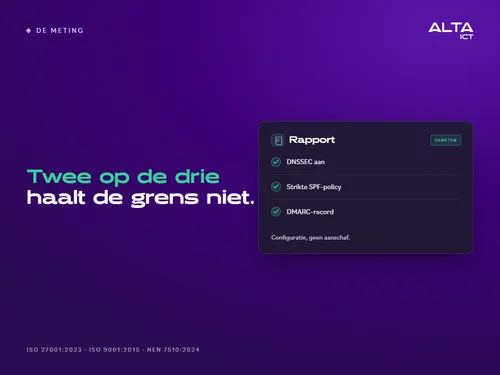
More interesting than what goes wrong is what the 37 domains above the threshold are doing differently. It’s not about more budget or more tools. For each component, we compared the percentage of sites above and below the threshold that are compliant. The three biggest differences: DNSSEC enabled (86 percent vs. 24 percent), a strict SPF policy (92 percent vs. 40 percent), and a DMARC record (100 percent vs. 63 percent). Next are HSTS (68 percent versus 18 percent) and x-content-type-options (57 percent versus 17 percent).
All five are free. Set all five correctly once, and then keep them up to date. Our take on this—and this is an interpretation, not a measurement—is that the best domains don’t do it just once. They update them more often.
One caveat regarding that comparison: Only three domains scored above 90; that’s too few to draw any conclusions. That’s why we’re comparing at the 75 threshold, rather than at the top.
The Honest Footnote
Numbers without a method are just opinions with a percentage sign. So here’s what these numbers don’t tell us.
They don’t say anything about the market. Our data comes from organizations that ran their own scans—and those are organizations that are already working on security. So the actual market almost certainly doesn’t score any better than our figures; we just don’t know how much worse it is.
They only count what has been measured. Any item that the scan could not determine is listed in the report as “unmeasurable” and is not counted as correct or incorrect. Better to have a smaller, accurate number than a large, estimated one.
And they are not complete. In the comments section of the post about the top 37, a colleague pointed out a fourth difference that the three mentioned above do not address: the length of the DKIM key. The scan reads that key and issues a warning if it’s less than 2048 bits, but in this count, a warning doesn’t count. The number is included in a separate measurement, along with the method used. He was right, and that should be included in the footnote.
Take Your Own Measurements
Your own domain is probably not listed here. Our Security Check takes just 30 seconds to assess only the external aspects of your domain—DNS, email authentication, certificates, and headers—which any attacker, customer, or regulator can also see. It does not log in and does not require access. For each component, there are three results: good, not good, or not measurable. And for each result, there’s one actionable recommendation: what it means and whether you need to take action.
What the check doesn’t see is the inner workings of your Microsoft 365 environment. That’s where the Tenant Check comes in: it takes two minutes, requires an administrator account, and nothing from your tenant is saved. Both provide a report that you can show to a client or accountant, and both honestly disclose what they were unable to measure.
How ALTA-ICT helps
Most of the issues identified in this assessment can be resolved through configuration, not by purchasing new equipment. You can set up headers in an afternoon; SPF, DKIM, and DMARC in a day, provided you know who is authorized to send emails on your behalf. We do this as part of our ongoing management services or as a one-time assignment: we implement the findings from the check by making changes to your web server and DNS, providing before-and-after reports that you can keep as proof. For those with supply chain-related questions, this aligns with the four documents and six themes: verifiable, no more than necessary. We operate in accordance with ISO 27001:2023, ISO 9001:2015, and NEN 7510:2024.
Frequently Asked Questions
My domain score is below 75. Is that a problem?
This is normal, and it’s almost always inexpensive to fix. Look at the issues first, not the grade: most of them can be fixed with a single line of configuration. The report tells you for each section whether you need to do anything about it.
Why don’t you count the warnings?
Because a warning can have multiple causes, and we don’t want to count anything we can’t explain with certainty. A failure is unambiguous. As soon as we can count a warning unambiguously—such as in the case of the DKIM key length—we do so in a separate measurement.
Are these figures representative of the Netherlands?
No. They cover 121 domains that someone intentionally had scanned. The market probably doesn’t score any better, but we don’t know how much worse it is, and we make sure to mention that every time.
Could a scan of the exterior damage my surroundings or save anything?
No. The Security Check only reads publicly available information: DNS records, the certificate, and your website’s headers. It does not log in to your systems, and nothing from your systems is stored. The results are stored anonymously for statistics like these.
If I could do only one thing, what should I do first?
A DMARC record with a strict SPF policy. Together, these are two of the three biggest differences between the top and bottom of the spectrum in our analysis; it protects your reputation in your customers’ inboxes, and it doesn’t require a license.
Conclusion
Two out of three scanned domains fall short of the threshold; the most commonly missing component is the least expensive one, and the domains that do meet the threshold aren’t doing anything special: they simply maintain a few free settings. The difference between meeting and falling short of the threshold isn’t a matter of budget. It’s about knowing what’s open, and you can measure that in thirty seconds.
Scan your domain at check.alta-ict.nl and start by reviewing the issues. If you want to know what the results mean for your organization, schedule a check-in with ALTA-ICT.
Want to know more?