
Knowledge base
November 18, 2025
Recognize and block MFA fraud in Microsoft 365
Suspicious MFA requests? User as first line of defense
Multi-Factor Authentication (MFA) is an important layer of security, but even this method is not foolproof. Cybercriminals are increasingly exploiting stolen login credentials by overwhelming users with unexpected MFA requests. This tactic is also known as “MFA-fatigue.”
What is MFA fatigue?
In an MFA-fatigue attack, a user receives multiple MFA authentication requests, often late at night or outside working hours. The attacker’s hope: that the user will accidentally or out of frustration approve one anyway. This gives the attacker full access.
What has changed?
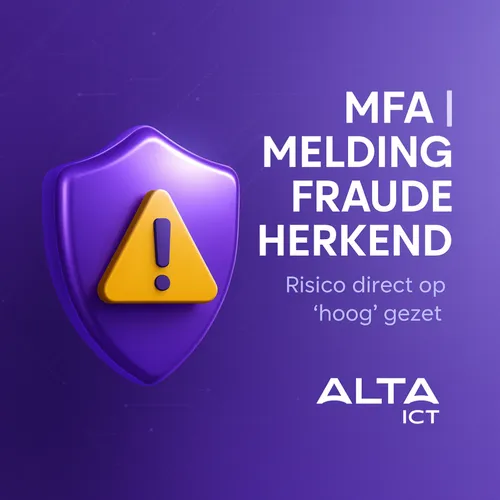
Microsoft has now added an additional control: users can actively report suspicious MFA requests via the Microsoft Authenticator app or via voice call. Once such a notification is made, the following happens:
- The user status is automatically set to “High Risk.
- Conditional Access policies can block access directly.
- Optionally, Self-Service Password Reset (SSPR) allows the user to restore the account themselves.
Why is this important?
This feature makes users an active part of the security process:
- Prevents unwanted access in cases of MFA abuse
- Detects intrusion attempts faster
- Automatically responds with risk-based policies
- Supports recovery without IT intervention
Practical example:
An employee receives multiple MFA requests at night without trying to log in. He marks this as suspicious in the app. Microsoft 365 immediately marks the account as risky, blocks further access and gives the employee the option of password recovery.
What can you do as an organization?
- Enable this feature within Microsoft 365 Identity Protection
- Check Conditional Access rules for risk-based blocking
- Train users to recognize and report suspicious alerts
- Implement SSPR for independent recovery
ALTA-ICT helps with secure MFA implementation
Our experts guide organizations in:
- Setting up risk-based Conditional Access
- Rolling out MFA with user notifications.
- Meeting ISO27001 and AVG requirements.
Want to know how your organization can use MFA more safely?
Schedule a free consultation: alta-ict.co.uk/free-consultation
Want to know more?
Related
blogs
Tech Updates: Microsoft 365, Azure, Cybersecurity & AI – Wekelijks in je Mailbox.