
Knowledge base
November 24, 2025
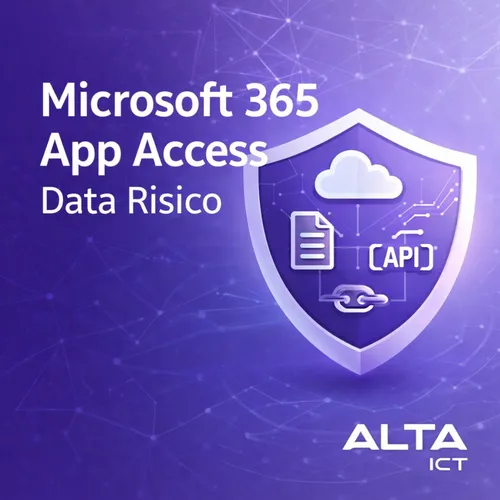
Microsoft 365 third-party app access: the invisible data risk
Microsoft 365 is central to almost every organization. Email, documents, Teams, SharePoint and OneDrive contain much of your corporate data. Yet the risk is often not in Microsoft itself, but in what users unwittingly attach to it.
By default, Microsoft 365 is set up so that users can connect their own apps to their account. This is done via OAuth. Convenient, because productivity tools collaborate quickly. Risky, because that access often goes much further than necessary. And because oversight is usually lacking.
What many organizations don’t know
In many SMB environments, there is no active policy on third-party app access. IT assumes Microsoft takes care of this. Security teams look primarily at phishing, endpoint security and MFA. App access disappears from view.
The result is a growing ecosystem of connected apps that access e-mail, calendars, SharePoint sites and OneDrive. Often without anyone knowing exactly which apps they are, what permissions they have and how long that access will last.
Case examples showing this risk
Research has shown that the OneDrive File Picker can grant overly broad permissions in certain scenarios. Users select one file, but the app is granted read and write permissions to the entire OneDrive storage. Apps such as ChatGPT, Slack, Trello and ClickUp could therefore access more data than the user expected.
Another common scenario is the use of browser plugins. An employee installs a ChatGPT plugin to summarize documents. The plugin requests OAuth access to SharePoint. The user clicks agree to continue working quickly. What is often not clear is that this access is structural and not limited to one document or one session.
Why this is a serious security problem
The risks of uncontrolled app links are great.
First, data exfiltration. Many API activities do not appear in standard audit logs or appear in a limited way. Data can be read or copied without immediate visibility to IT or security.
Second, API access often remains active after offboarding. When an employee leaves employment, the account is blocked. But the linked app token remains. External apps can still access data as long as the token is not explicitly revoked.
Third, there is a lack of overview. In conversations with organizations, it often appears that people simply do not know which apps have access to Microsoft 365. There is no current overview, no classification by risk and no periodic monitoring.
Why this particularly affects SMEs
Larger organizations are more likely to have dedicated security teams and additional licenses. In SMBs, Microsoft 365 is usually set up pragmatically. Default settings are left in place. App governance is seen as something for later.
On top of that, Microsoft often places advanced security features behind additional licenses. Defender for Cloud Apps offers extensive app governance capabilities, but these features are often not activated or only partially set up.
The result is a shadow ecosystem around corporate data. Apps that operate out of sight of IT and compliance, but have access to sensitive information.
What Microsoft does offer, but what is often not used
Microsoft 365 does include features to manage this risk. Consider:
Limitations on user consent. You can set that users cannot just authorize apps, or only apps from an approved list.
App governance within Defender for Cloud Apps. It allows you to classify apps by risk, detect anomalous behavior and perform automatic actions.
Conditional Access in conjunction with OAuth. Allows you to restrict access based on location, device or risk.
The problem is not that these features are missing. The problem is that they are not set right by default and are rarely evaluated periodically.
Specifically, what organizations need to do now
An effective third-party app access policy starts with insight.
First, map out which apps currently access Microsoft 365. Look not only at known tools, but also at small plugins and automations.
Next, check what permissions these apps have. Full read and write permissions are rarely needed. Many apps function fine with minimal scopes.
Then set policies. Which apps are allowed. Who is allowed to approve new apps. How often access is reviewed.
Finally, monitoring is essential. Without active monitoring, the problem grows again. App governance is not a one-time action, but an ongoing process.
The role of ALTA-ICT
At ALTA-ICT, we see this risk regularly during security assessments. Often there is no malicious intent, but a combination of default settings and ease of use.
We help organizations set up controlled app access within Microsoft 365. We do this from an ISO27001- and ISO9001-certified approach. Practical, without unnecessary complexity. With attention to AVG, logging and offboarding processes.
The goal is not to block innovation, but to keep a grip on your data.
In conclusion
Microsoft 365 is securely set up as long as you also maintain control over what you attach to it. Without policy and oversight, a big data risk develops unnoticed.
Therefore, the key question is simple.
What is the policy within your organization for third-party app access?
Want to know more?
Related
blogs


Tech Updates: Microsoft 365, Azure, Cybersecurity & AI – Wekelijks in je Mailbox.