Knowledge base
November 17, 2020
Microsoft Teams adds new integrations to its video calls.
• Microsoft is adding new third-party apps to Teams meetings – which allow users to communicate during a video call – as part of its efforts to turn Teams into a collaboration center.
• In addition, people can now also use Microsoft’s low-code Power Platform to build and automate their own apps directly in Teams.
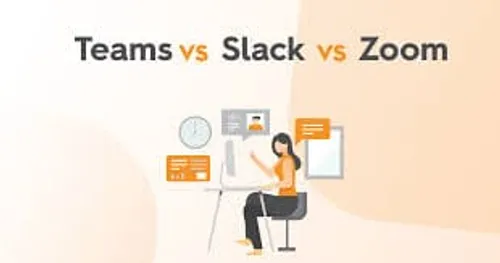
• This is key to the ongoing competition from Microsoft Teams with Slack and Zoom, as both already have similar third-party app marketplaces.
• Teams are becoming increasingly important to Microsoft, as indicated when it changed managers’ stock bonuses to prioritize the increasing use of Teams.
• Visit the Business Insider home page for more stories.
Microsoft is adding new integrations to its Chat and Collaboration Tool Teams as it competes with Zoom and Slack to become the top destination for shared work.
Users can now add new third-party apps to Teams meetings, which allow them to communicate during a video call (previously, only the Teams chat feature could be integrated with external applications).
As more people use Teams, Microsoft has discovered that people want to use the same apps they use in their channels during their meetings, said the product’s general manager, Nicole Herskowitz.
“The need for an expandable platform that can be easily adapted to the needs of the changing business landscape has just become critical,” Herskowitz told Business Insider.
Many of the apps – including Asana and Survey Monkey – already worked with Microsoft Teams’ chat tools. But there are also new ones, including Halp, an IT ticketing tool originally built exclusively for Slack and purchased by Atlassian earlier this year.
Halp is now launching a version of its app for Microsoft Teams chat, with the company’s co-founder, Fletcher Richman, telling Business Insider that “we want to meet the customer where they work,” a nod to Teams’ huge user base.
In addition to using third-party applications, people can now also use Microsoft’s low-code Power Platform platform to build and automate their own apps directly in Teams.
This is all part of Microsoft’s commitment to position teams as a “hub for collaborative work,” said Angela Ashensen, an analyst at CCS Insights. “Integrating third-party apps and processes into Teams has been a key focus for Microsoft over the past 12 months, as it helps teams become more integrated into the way people work.”
It’s also key for Microsoft to compete with rivals like Slack and Zoom, ashenden said.
The use of Microsoft Teams increased significantly during the pandemic and recently reached a new user milestone, with 115 million daily active users in October, compared to the 75 million announced at the end of April and 44 million in mid-March. The use of Power Platform has also increased, with more than 10 million monthly active users, tripling compared to the end of 2019.
It’s hard to compare the use of Slack and Zoom to Microsoft Teams. Slack hasn’t given a user update since October 2019, when it said it had 12 million users. Zoom, meanwhile, only shared that it has more than 300 daily meeting participants in April.
Competition with Slack and Zoom
Microsoft is increasingly competing with Slack in the chat and collaboration room and Zoom in the meeting room.
Earlier this year, it signaled Team’s growing stake within the company as it changed the way it awards stock bonuses to executives: now many executive stock bonuses will depend on whether the company can increase the number of monthly active users of Teams, Business Insider’s Ashley Stewart previously reported. .
Third-party apps are the key to that competition. Slack has long had a robust app store with third-party apps from companies like Asana, Atlassian, GSuite and even Microsoft 365. It also has a tool to build custom processes and automation between those apps and Slack. It’s an area that makes Slack “very different from Teams” because it “makes Slack much more sticky for individual users than Teams, and much more embedded in the way they get the job done,” Ashenden said.
If Microsoft wants to compete effectively with Slack in this area and have “the same level of credibility and trust among developers and its partner ecosystem,” it needs to create an equal experience, she added.
Slack filed an antitrust complaint against Microsoft with the European Commission this summer, alleging that Microsoft is harming competition by bundling Teams into its productivity suite, installing it by default and making it difficult to remove. Microsoft said in a statement that customers chose Teams because they wanted video conferencing and “Slack suffered from the absence of videoconferencing.”
Microsoft now also has a new challenge from Zoom, which has recently launched new third-party app integrations. Similar to Microsoft Teams’ approach, Zoom’s strategy allows users to access apps like Dropbox, Slack, and Asana directly within a Zoom meeting.
The added value of both Zoom and Microsoft Teams with these types of apps is that it is a “wrap-around for meetings, with workflows before and after the meeting as well as during the meeting itself,” Ashenden said. “This is an interesting new competitive area and the key will be that these integrations really add value without adding too much complexity to the experience.”
Herskowitz of Microsoft said the company’s focus on its low-code tools gives it an important advantage.
“Our strategy is really to help our customers achieve their goals. What they’re telling us is, ‘Yes, we want your marketplace with ready-made apps that are really high quality and very safe,’” Herskowitz said. “At the same time, we hear – and this is very unique to our strategy with Teams – that our customers really want to be able to customize the app workflows, bots that are really specific to their industry.”
Source: business insider
Want to know more?
Related
blogs
Tech Updates: Microsoft 365, Azure, Cybersecurity & AI – Weekly in Your Mailbox.


![Sensitive Information in AI Chat, Teams, and WhatsApp: The Moment Before Sending /
Hero Voor Verzenden.html
HTML
maak synccommanodo
Je stuurde de HTML-bron, niet de PNG. Ik heb die HTML zelf gerenderd en het resultaat bekeken. Het beeld is akkoord.
Wat ik heb gecontroleerd
Maat en fonts: exact 1200x900. Halogen 900 en Bilo 300 en 500 laden uit het bestand zelf, zonder vervangend lettertype.
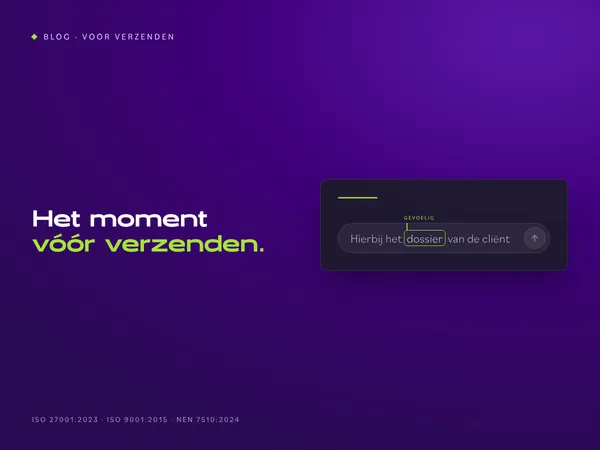
Inhoud: kicker “BLOG · VOOR VERZENDEN”, de kop in wit en limoengroen, en de chatkaart met “dossier” omlijnd en het label “gevoelig”. Er is geen maskering en er staan geen merknamen in.
Opmaak: de kop raakt de kaart niet en de certificeringsregel is volledig.
Randen: de hoekpixels zijn paars, niet de controlekleur
#160a2e. Er is dus geen rand van de pagina mee geëxporteerd.
Het PNG-bestand gevoelige-gegevens-ai-chat-verzenden.png heb ik je gestuurd. Zet het in je Downloads en draai dan:
powershell
cd C:\repos\ALTA-ICT
git pull --rebase
$b = "docs\Projecten\social-campagnes\Week 43 - Voor Verzenden\Blog"
$f = Get-Item "$env:USERPROFILE\Downloads\gevoelige-gegevens-ai-chat-verzenden.png"
Add-Type -AssemblyName System.Drawing
$i = [System.Drawing.Image]::FromFile($f.FullName); "{0}x{1}" -f $i.Width, $i.Height; $i.Dispose()
Copy-Item $f.FullName "$b\" -Force
git add -- "$b\gevoelige-gegevens-ai-chat-verzenden.png"
git diff --cached --name-only
git commit -m "Blog 43: bloghero gevoelige gegevens voor verzenden"
git log origin/master..master --oneline
Verwachting: 1200x900, dan één bestandsnaam, daarna één of twee commits. Twee commits als de editie 15-hero nog niet gepusht is. Plak de output terug, daarna push je.
In WordPress, bij blog 43:
Uitgelichte afbeelding: upload dit bestand, met de alt-tekst uit de plakklaar.
Controleer na het uploaden dat de bestandsnaam geen -1 heeft gekregen.
De kanaalvarianten van blog 43 maak je pas als de blog live staat. De prompt staat in de plakklaar.
geef me blog 43 om te maken zoals het moet in wordpress
Hieronder staat alles voor WordPress, in de volgorde van de editor. Ik gebruik variant B, zonder test. Plak elke HTML in het tabblad Tekst en schakel nooit over naar Visueel.
1. Nieuw bericht
Ga naar Berichten, Nieuw bericht.
2. Titel
Gevoelige gegevens in AI-chat, Teams en WhatsApp: het moment vóór verzenden
3. Veld Introductie (tabblad Tekst)
html
<p dir="ltr">Bij een datalek denk je aan een hacker. In de praktijk begint het vaak met Ctrl+V: een stuk uit een dossier in de verkeerde chat, de verkeerde mail, of een AI-tool die de tekst "even netjes maakt".</p>
<p dir="ltr">Er is geen kwade wil. Er is haast, en een knop die te dichtbij zit. Deze blog gaat over dat ene moment vlak voor verzenden: wat kun je dan nog tegenhouden, en wie ziet het?</p>
4. Veld Omschrijving (tabblad Tekst)
html
<h2>Waar Microsoft 365 ophoudt</h2>
<p dir="ltr">In <a href="https://alta-ict.nl/blog/microsoft-purview-business-premium/">de blog over Microsoft Purview</a> zag je wat Business Premium al beschermt: mail en de bestanden in OneDrive en SharePoint. Een bestand dat je in Teams deelt, valt daar ook onder.</p>
<p dir="ltr">Het chatbericht in Teams niet. DLP voor Teams-chat vraagt volgens Microsoft een E5-licentie. En een AI-chat in de browser of een app op de laptop ziet Microsoft helemaal niet.</p>
<h2>AI-chat en geheimhouding</h2>
<p dir="ltr">Een medewerker plakt een brief aan een cliënt in een gratis AI-chat, met zijn privéaccount, om hem beter te formuleren. Naam, adres en de reden van het dossier gaan mee, naar een dienst waarmee je organisatie geen verwerkersovereenkomst heeft.</p>
<p dir="ltr">Verbieden werkt slecht. De tool blijft handig, en wie hem niet mag gebruiken, gebruikt hem stiekem. Beter: weten welke AI-tools je team gebruikt, en per tool afspreken wat erin mag.</p>
<h2>WhatsApp is geen dossier</h2>
<p dir="ltr">De wijkverpleegkundige stuurt een foto naar de collega die de dienst overneemt. De installateur appt de klant een offerte met diens adres. Het werkt snel, en het gebeurt vaak op een privételefoon.</p>
<p dir="ltr">Daarmee staan zakelijke gegevens op een apparaat dat de organisatie niet beheert, in een app die ze niet kan archiveren. Vertrekt de medewerker, dan vertrekken de gesprekken mee. Een alternatief moet net zo snel zijn, anders gebruikt niemand het.</p>
<h2>Een waarschuwing op het juiste moment</h2>
<p dir="ltr">Een training over datalekken vergeet je in een week. Een melding op het moment van verzenden niet. In Outlook kan Microsoft 365 dat al: staat er een gevoelig gegeven in een mail, dan verschijnt bovenaan een melding nog voor de mail vertrekt. Voor chat en voor apps buiten Microsoft heb je daarvoor software op het apparaat nodig.</p>
<h2>Beschermen zonder meekijken</h2>
<p dir="ltr">Elke vorm van datalekpreventie roept bij medewerkers en ondernemingsraad één vraag op: leest de werkgever mee? Stel die vraag zelf, vóór je iets kiest. Een melding per soort gegeven is genoeg om een lek te voorkomen. Namen en berichtinhoud zijn daarvoor niet nodig.</p>
<h2>Begin met een AI-overzicht</h2>
<p dir="ltr">Je hoeft niet met software te beginnen. Begin met een lijst van de AI-tools die je team gebruikt, waarvoor, en met welke gegevens. Vaak staan er tools op die niemand had verwacht.</p>
<p dir="ltr">De Europese AI-verordening legt de markering van AI-output bij de aanbieders. Sinds augustus moeten zij wat hun AI maakt machineleesbaar markeren; voor tools die al eerder op de markt waren, loopt de overgang tot 2 december. Dat is hun plicht. Jouw taak is weten wat je gebruikt.</p>
<p dir="ltr">Het <a href="https://airegister.alta-ict.nl/?utm_source=blog&utm_medium=referral&utm_campaign=voorverzenden&utm_content=blog43-tool">AI-Register</a> geeft geen juridisch oordeel. Wel maakt het in ongeveer tien minuten een overzicht van je AI-tools met de transparantieteksten, als drie documenten in je mail.</p>
<h2>Zo doen wij het</h2>
<p dir="ltr">We beginnen met het AI-overzicht en de afspraken per tool. Daarna zetten we Purview aan voor mail en bestanden. Het gat buiten Microsoft vullen we met datalekpreventie op het apparaat, als add-on bij de moderne werkplek. We werken zelf onder ISO 27001:2023, ISO 9001:2015 en NEN 7510:2024.</p>
<h2>Veelgestelde vragen</h2>
<p dir="ltr"><strong>Mag een medewerker een AI-chat gebruiken voor werk?</strong></p>
<p dir="ltr">Dat bepaal je zelf, per tool. Leg vast welke tools mogen en welke gegevens er niet in horen. Een zakelijk abonnement met een verwerkersovereenkomst is iets anders dan een gratis versie met een privéaccount.</p>
<p dir="ltr"><strong>Beschermt Business Premium Teams?</strong></p>
<p dir="ltr">Bestanden die je in Teams deelt wel, want die staan in SharePoint of OneDrive. Het chatbericht zelf niet; daarvoor vraagt Microsoft E5.</p>
<p dir="ltr"><strong>Moet ik AI-output zelf markeren?</strong></p>
<p dir="ltr">De markering van AI-output is een plicht van de aanbieder van de AI-tool. Voor jou telt dat je weet welke tools je gebruikt en wat je erin stopt.</p>
<h2>Conclusie</h2>
<p dir="ltr">Het lek begint met plakken, niet met een hacker. Microsoft 365 beschermt mail en bestanden; de chat, de AI-tool en de app op de laptop vallen erbuiten. Begin met een overzicht van wat je team gebruikt en spreek per tool af wat erin mag.</p>
<p dir="ltr">Wil je het moment vóór verzenden bespreken? Plan een gesprek met ALTA-ICT.</p>
5. CTA-knop (als je thema een knopveld heeft)
Tekst: Het moment vóór verzenden bespreken
Link: https://alta-ict.nl/contact?utm_source=blog&utm_medium=referral&utm_campaign=voorverzenden&utm_content=blog43-cta
6. Uittreksel
Een datalek begint vaak niet bij een hacker, maar bij plakken. Wat er gebeurt als een medewerker gegevens in een AI-chat, een Teams-chat of WhatsApp zet, waar Microsoft 365 ophoudt, en waarom je begint met een overzicht van de AI die je team gebruikt.
7. Categorie: Beveiliging. Zet geen andere categorie aan.
8. Uitgelichte afbeelding
Upload gevoelige-gegevens-ai-chat-verzenden.png. Controleer daarna dat de bestandsnaam in de mediabibliotheek geen -1 heeft gekregen.
Alt-tekst:
Hero bij de blog over gevoelige gegevens vóór verzenden: een chatinvoerveld met de zin Hierbij het dossier van de cliënt, waarin het woord dossier omlijnd is en gemarkeerd als gevoelig.](/media/uploads/2026/10/gevoelige-gegevens-ai-chat-verzenden.png?width=600)