
Knowledge base
November 05, 2025
M365 Copilot vs. M365 Copilot Chat – What’s the difference?
Intro: AI in your Microsoft 365? Yes please!
More and more Dutch companies are embracing AI to work smarter and faster. With the arrival of Microsoft 365 Copilot and Copilot Chat, it seems like we suddenly have two co-pilots in one cockpit. But what’s the difference? And which one do you really need in your organization?
At ALTA-ICT we guide organizations daily in implementing smart Microsoft 365 tools, with an eye for Dutch compliance, productivity and ROI. In this blog we clearly explain how both Copilots work, differ and complement each other.
What is Microsoft 365 Copilot?
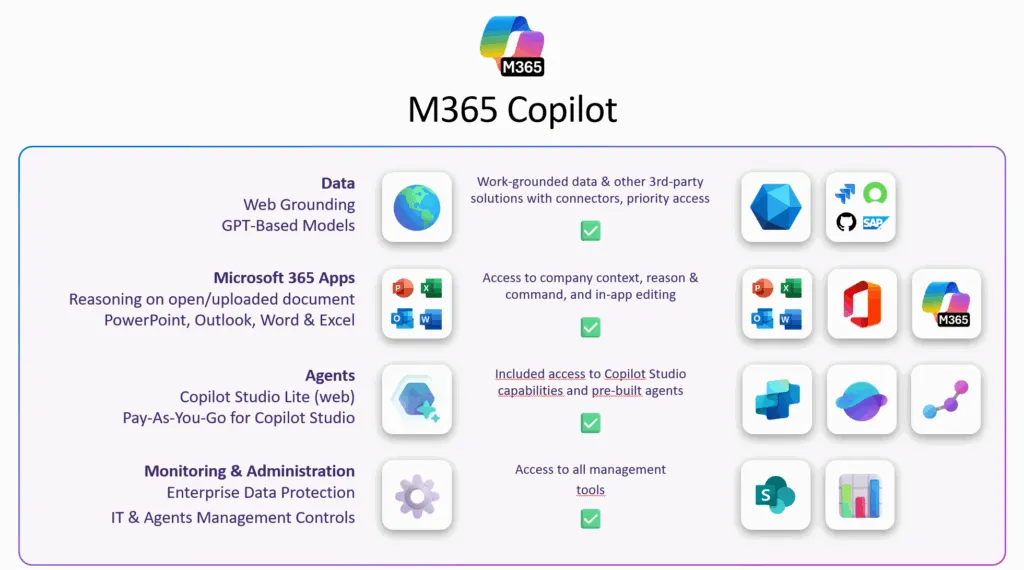
Microsoft 365 Copilot is your AI assistant that integrates directly into familiar tools like Word, Excel, Outlook, PowerPoint and Teams. Consider:
-
✍️ Generate Summaries in Word
-
???? Data analysis in Excel
-
???? Rewriting emails in Outlook
-
???? Creating meeting notes in Teams
This Copilot works contextually in the specific app you’re in. So you ask something in Excel, and get an answer based on that spreadsheet.
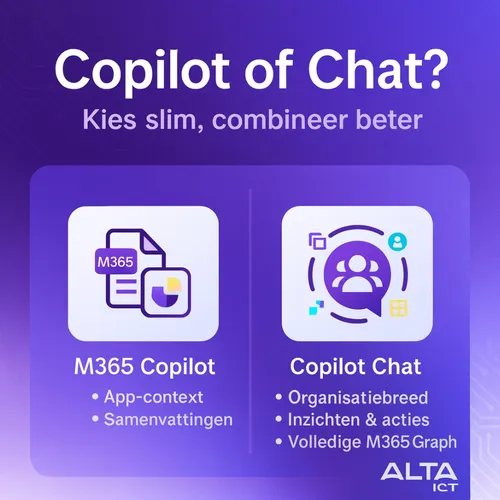
In short: Microsoft 365 Copilot = AI in your apps themselves.
What is Copilot Chat?
Copilot Chat is more than just a chatbot. It’s your central AI hub within Microsoft 365. This Copilot can access your entire Microsoft Graph: emails, calendars, files, meetings, notes, and more – only if you have permission, of course.
Copilot Chat is ideal for:
-
???? “What are my most important tasks today?”
-
???? “Summarize last Teams meeting with action items.”
-
???? “Find the Word document that contains the budget for Q4.”
So you can retrieve information from multiple sources simultaneously, even across apps.
In short: Copilot Chat = AI assistant across all your apps.
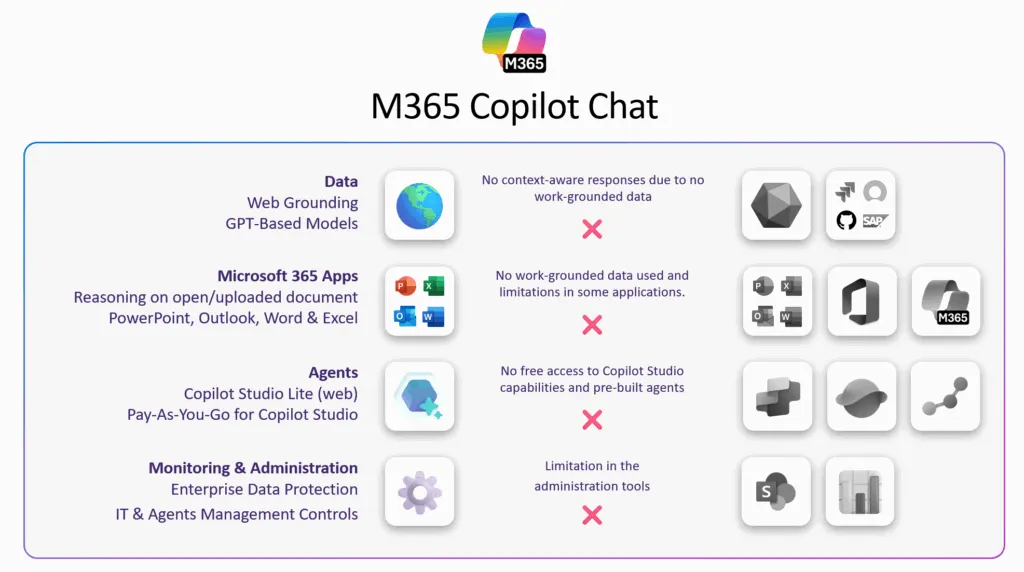
Comparison M365 Copilot vs Copilot Chat
Feature:
Location
-
Microsoft 365 Copilot: In-app (Word, Excel, etc.)
-
Copilot Chat: Teams interface (Copilot app/chat window)
Application
-
Microsoft 365 Copilot: Contextual within app
-
Copilot Chat: cross-app, organization-wide
Sample question
-
Microsoft 365 Copilot: “Summarize this email”
-
Copilot Chat: “What did Jan say in Teams last week about project X?”
Data access
-
Microsoft 365 Copilot: Only in active app
-
Copilot Chat: Everything you may see in M365 Graph
Type of output
-
Microsoft 365 Copilot: Direct content (text, data)
-
Copilot Chat: Conversations, insights, summaries
How do you choose the right one for your team?
✅ Do you primarily use Word, Excel and Outlook? Then start with Microsoft 365 Copilot.
✅ Want centralized AI support with broad overview? Then Copilot Chat is your AI sidekick.
✅ Combi is king: The real power lies in the combination. Both copilots reinforce each other, just as Outlook and Teams do.
ALTA-ICT: This is how we get the most out of Copilot for your business
At ALTA-ICT, we assist Dutch organizations with:
-
✅ ISO-certified implementation (ISO27001, NEN7510)
-
✅ AVG-proof setup and data access management
-
✅ Customized adoption training for users
-
✅ ROI dashboards with concrete time savings
We tailor our approach to your sector – from SMEs to healthcare and government – and guarantee that your data remains secure.
Frequently Asked Questions
1. Do I need a Copilot license?
Yes, both features require a separate license on top of Microsoft 365 E3/E5.
2. Can I use Copilot Chat without Microsoft 365 Copilot?
No, Copilot Chat is part of the broader Copilot license.
3. Is this safe for sensitive data?
Sure, if set up correctly. ALTA-ICT helps you with a secure, AVG-compliant setup.
4. Does it also work in Dutch?
Yes. Both prompts and answers can be in Dutch.
5. How soon can we start?
Within one week you will have a working pilot environment.
Conclusion: AI in 365? Choose smart, combine better
Whether you start with smart emails or search for project info across apps – with Microsoft 365 Copilot and Copilot Chat, you’re taking a big step toward smart, automated collaboration.
???? Tip: Combine both tools for maximum impact.
???? Book your free Copilot consultation with ALTA-ICT today and find out what AI can do for your team: ???? alta-ict.co.uk/free-consultation
Want to know more?
Related
blogs
Tech Updates: Microsoft 365, Azure, Cybersecurity & AI – Wekelijks in je Mailbox.